Content creation has never been more competitive, and it has never been more possible to compete as a solo creator. In 2026, a wave of powerful, genuinely free AI tools has made it realistic to run a full content operation without a team or a bloated budget. Whether you are a YouTuber juggling scripts and thumbnails, a blogger managing SEO and drafts, or a social media creator repurposing content across five platforms, AI tools to automate content workflow are no longer a luxury. They are the standard. This guide cuts through the noise and gives you the exact tools worth using right now.
Why Your Content Workflow Needs AI in 2026
The average content creator spends more time on production logistics than on actual creative work. Research, drafting, editing, formatting, repurposing, scheduling, and analyzing performance can consume 70 percent of a creator’s week. AI content creation tools free up that time by handling the repeatable, predictable parts of your process so you can focus on what actually makes your content worth watching or reading: your perspective, your voice, and your ideas.
The good news is that the free tiers of most leading AI platforms in 2026 are substantially more capable than they were two years ago. Many offer enough functionality for solo creators to build a complete, sustainable workflow without spending a dollar.
The Best Free AI Writing Tools for Solo Content Creators
ChatGPT Free Tier
OpenAI’s free version of ChatGPT remains one of the most versatile AI writing tools for solo content creators. Use it to generate blog outlines, repurpose bullet points into full paragraphs, draft email newsletters, or brainstorm content angles for any niche. The free tier gives you access to GPT-4o with some usage limits, which is more than enough for most bloggers publishing two to four pieces per week.
A smart workflow tip: give ChatGPT a detailed system prompt that captures your brand voice at the start of every session. This saves editing time and keeps outputs consistent across all your content formats.
Google Gemini Free
Gemini is Google’s answer to ChatGPT, and its free tier integrates directly with Google Docs, Gmail, and Google Search. For bloggers and SEO-focused creators, this integration is genuinely useful. You can draft a post in Docs, ask Gemini to suggest internal links or improve readability, and fact-check claims against current search results, all without switching tabs. Gemini’s real-time web access on the free plan gives it a meaningful edge for research-heavy content.
Claude Free Tier
Anthropic’s Claude is worth adding to your stack, particularly for long-form content. It handles large documents well, making it ideal for repurposing existing content, summarizing research reports, or editing lengthy scripts. Claude’s tone tends to feel more natural and less robotic than many competitors, which matters when you are trying to maintain an authentic voice across your blog or channel.
Free AI Tools for YouTubers and Bloggers: Video and Audio
Descript Free Plan
Descript is one of the most creator-friendly tools available. Its free plan lets you transcribe video and audio, edit by cutting text from a transcript rather than timeline scrubbing, and export a polished file. For YouTubers, this means you can edit a raw talking-head video in minutes rather than hours. The free tier includes three hours of transcription per month, which covers most weekly publishing schedules for emerging creators.
CapCut AI Features
CapCut has evolved well beyond a basic video editor. Its AI features now include auto-captioning, background removal, script-to-video generation, and AI voice cloning for voiceovers. All of these are available on the free plan. For short-form creators on TikTok, Instagram Reels, or YouTube Shorts, CapCut is arguably the most complete free tool in the ecosystem. It handles the full pipeline from raw footage to published clip.
Adobe Podcast Free
If your content includes any spoken audio, Adobe Podcast’s AI-powered speech enhancement tool is a revelation. Upload a recording made on a laptop microphone and it comes out sounding like a professional studio setup. The free tier is available to anyone with an Adobe account and requires no subscription. For podcasters, interview-based YouTubers, and creators adding narration to their videos, this is a must-use tool.
AI Video Repurposing Tools for Creators
Repurposing content is one of the highest-leverage activities a creator can do. One long-form video or blog post can generate a week’s worth of short clips, quote graphics, email newsletters, and social captions. AI video repurposing tools for creators make this scalable.
Opus Clip Free Plan
Opus Clip uses AI to scan long-form videos and automatically identify the most engaging moments, then cuts them into short clips sized for TikTok, Reels, or Shorts. The free plan allows a limited number of clips per month and includes AI-generated captions. For YouTubers who want to build a short-form presence without doubling their editing workload, Opus Clip is the most practical starting point available at no cost.
Castmagic Free Tier
Castmagic is built around audio and video repurposing. Upload a recording and it automatically generates a full transcript, a blog post draft, show notes, social media captions, and email newsletter content from that single piece of media. The free tier limits the number of uploads per month, but for a solo creator publishing one or two long-form pieces weekly, it is more than sufficient. This is one of the best AI tools to automate content workflow end to end.
AI Tools for Design and Thumbnail Creation
Canva AI Features
Canva’s free plan now includes a meaningful set of AI-powered features, including Magic Write for generating text inside designs, background removal, and an AI image generator. For YouTubers creating thumbnails, bloggers making featured images, or social media creators building consistent visual branding, Canva’s free AI features eliminate the need for a separate design tool or a graphic designer. The template library combined with AI text generation makes it possible to produce professional-looking visuals in under five minutes.
Building Your 2026 Creator Workflow Stack
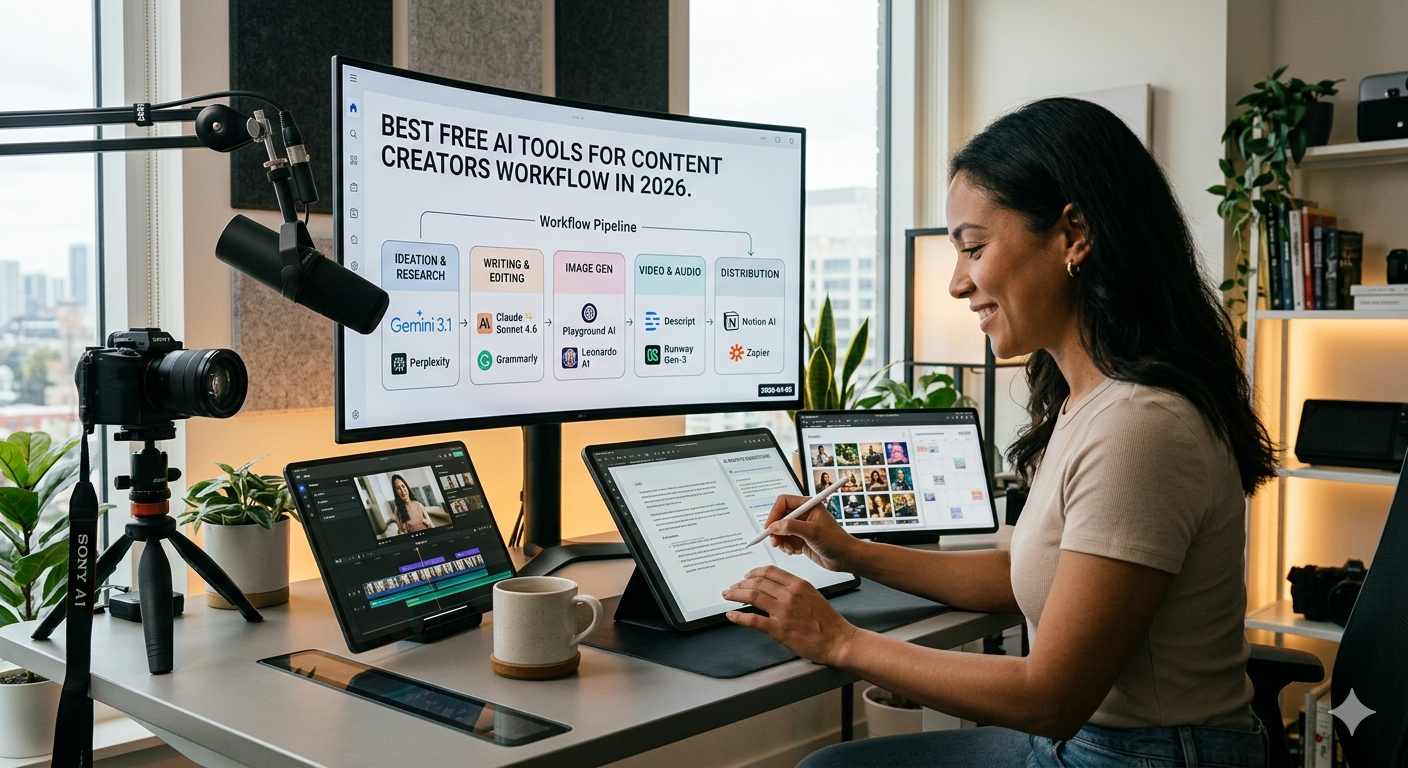
The most effective approach is to build a lean stack of three to five tools that cover your specific workflow, rather than signing up for every tool available. A typical workflow for a blogger or YouTuber might look like this: use ChatGPT or Claude for research and drafting, Gemini for SEO refinement and fact-checking, Descript or CapCut for video editing, Opus Clip for repurposing into short-form, and Canva for all visual assets. That entire stack costs nothing if you stay within free tier limits.
The key to making free tiers work is batching your work. Rather than creating content daily, batch all your drafting in one session, all your editing in another, and all your repurposing in a third. This approach keeps you within usage limits while maximizing output.
Actionable Takeaways for Content Creators
Start by auditing where your time actually goes each week. Identify the two or three tasks that consume the most hours and find the AI tool that addresses those specifically. Do not try to automate everything at once. Add one new tool to your workflow each month, learn it properly, and then layer in the next. This approach leads to lasting efficiency gains rather than tool overload.
Also remember that AI tools are most powerful when combined with your own expertise and voice. The creators who are thriving in 2026 are not those who let AI write everything; they are those who use AI to handle structure, logistics, and repetitive tasks while their original thinking and personality carry the content.
Frequently Asked Questions
What are the best free AI tools for content creators in 2026?
The top free AI tools for content creators in 2026 include ChatGPT, Google Gemini, Claude, Descript, CapCut, Opus Clip, Castmagic, and Canva. Each addresses a different part of the creation workflow, from writing and research to video editing and repurposing.
Can I build a complete content workflow using only free AI tools?
Yes. By combining the free tiers of tools like ChatGPT for writing, CapCut for video editing, Opus Clip for repurposing, and Canva for design, solo creators can manage a full content operation at no cost, provided they work within monthly usage limits.
What is the best free AI tool for repurposing video content?
Opus Clip is widely considered the leading free AI video repurposing tool for creators. It automatically identifies high-engagement moments in long-form videos and exports them as short clips with captions for TikTok, Reels, and YouTube Shorts.
Are free AI writing tools good enough for professional content?
The free tiers of ChatGPT, Claude, and Gemini are all capable of producing high-quality drafts that require only light editing. For most solo content creators, these free options are more than sufficient for professional-grade output.
How do I avoid going over free tier limits on AI tools?
Batching your content creation tasks is the most effective strategy. By concentrating your AI tool usage into dedicated sessions rather than using tools sporadically throughout the week, you can maximize output while staying within monthly limits across multiple platforms.